pipequi
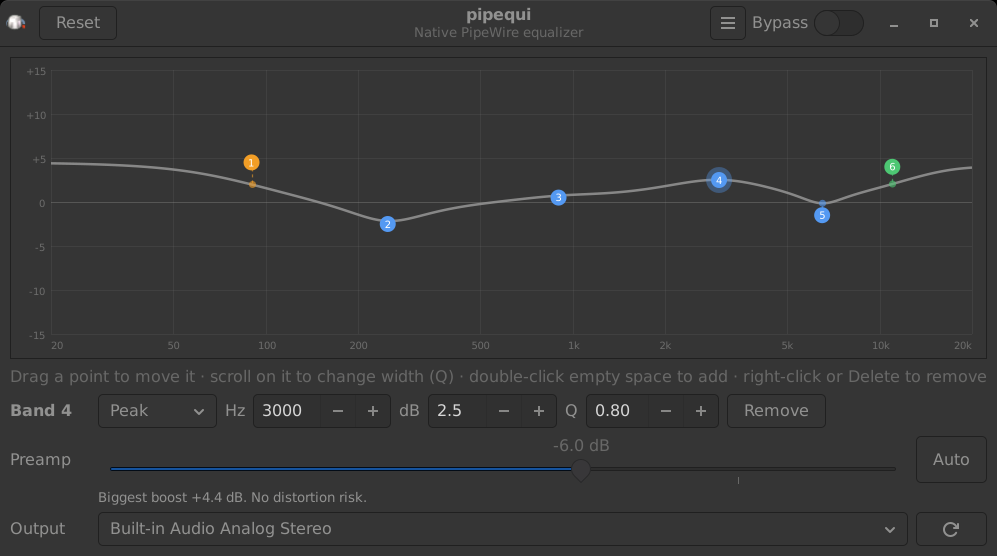
A parametric equalizer for Linux that runs inside PipeWire itself. Drag points on a curve, hear it live, and close the window: nothing of pipequi stays running.
Features
No background process The EQ is a PipeWire filter-chain. The window only edits it, so you can close it any time.
Live, without restarts Every change reaches the running filter at once. Bluetooth headphones stay connected.
Parametric bands Peak, low shelf and high shelf. Add, drag, widen and remove points right on the curve.
True curve guides A dashed line from each point to where the combined curve really sits at that frequency.
Preamp with Auto One click lowers the level by your biggest boost, so loud songs don't distort.
One-click setup Set up keeps the output you were using and reconnects Bluetooth. Remove undoes it.
Install
On Debian or Ubuntu, download the .deb from the latest release and install it:
sudo apt install ./pipequi_*_all.deb
On other distributions, run it from a checkout. This adds a pipequi command and a menu entry for your user:
git clone https://github.com/kritzerenkrieg/pipequi
cd pipequi && ./install.sh
Then open pipequi and press Set up . Sound stops for a second while PipeWire restarts once.
How it works
Set up writes ~/.config/pipewire/pipewire.conf.d/pipequi.conf and restarts PipeWire once. A new output, “Equalizer (pipequi)”, becomes your default and plays into the device you were using.The filter holds a fixed pool of 12 peak, 4 low-shelf and 4 high-shelf slots. Unused slots sit at 0 dB, so adding a band or changing its type never needs another restart.
Each change goes to the running filter with pw-cli and is saved back to the config file, so it is still there after a reboot.
Requirements
PipeWire with WirePlumber, run as systemd user services (the default on current Debian, Ubuntu, Fedora and Arch).
PipeWire's tools pw-cli, pw-dump and pw-metadata.
Python 3.8+ with PyGObject and GTK 3.
Optional: bluetoothctl, to bring Bluetooth headphones back after the one restart.